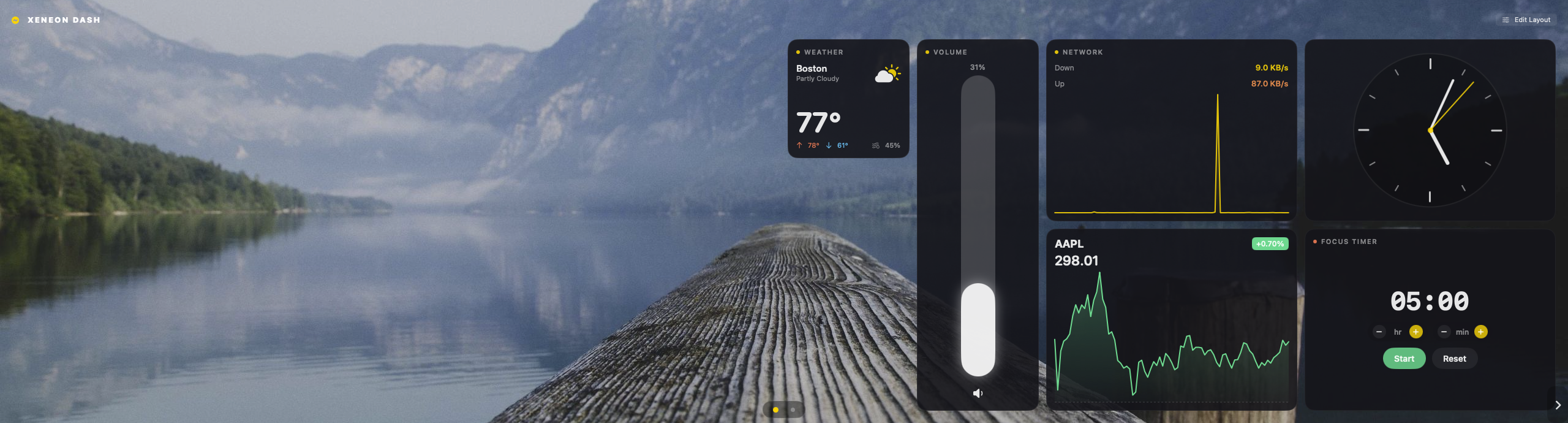
Dash Pro turns any screen into a live, customizable monitoring dashboard — CPU, GPU, memory, network, temperatures and fans, plus clocks, charts, stocks and weather. The clean iCUE-style dashboard, finally native on the Mac.
A live dashboard page — arrange it however you like.
Everything you'd want on a glance screen
Real sensor data, a layout you control, and a catalog of widgets — all in a fast, private, native app.
Real hardware sensors
CPU, GPU, RAM, network and disk throughput, plus temperatures and fan RPM — read live from the system. No kernel extension, no sudo.
A canvas you arrange
Drag widgets anywhere on a snap grid. Resize, reorder, delete. Your machine, your layout — and it's saved automatically.
Multiple pages
Spread widgets across pages like desktop spaces. Switch with a swipe, the page dots, or edge chevrons.
Wallpapers & opacity
Twelve built-in backdrops or drop in your own, with an adjustable foreground opacity to dial in the look.
20+ widgets
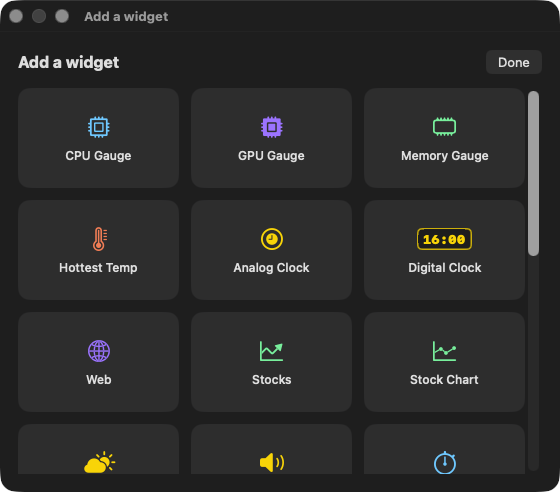
Gauges, history charts, per-core bars, analog & digital clocks, a focus timer, stocks, weather, system volume — even a web view.
Glanceable & touch-ready
Big, legible readouts you can read across the room. Swipe pages and drag sliders with a touchscreen or a trackpad.
Local-first & private
No account, no telemetry. Your metrics never leave the Mac; only the optional stocks and weather widgets make a network call.
Native Apple Silicon
A real SwiftUI app for M1–M4, signed with Hardened Runtime. Light on resources, instant to launch.
Make it yours
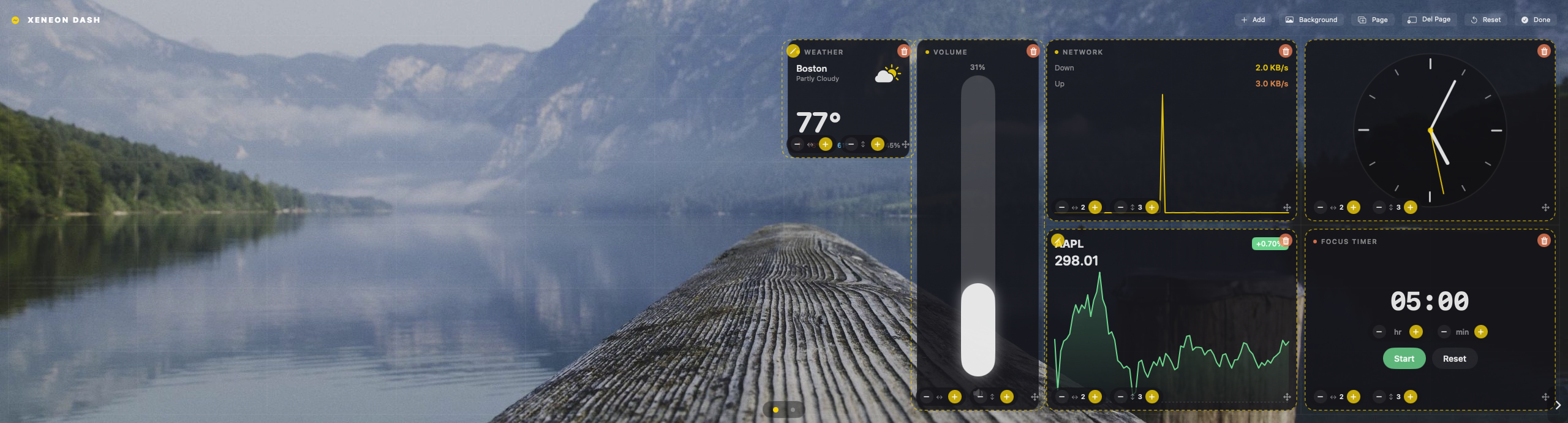
Edit mode: drag, resize, done
Flip into edit mode and every widget gets handles — move it on the grid, resize with a tap, swap its data source, or delete it. Add new widgets from a movable palette that floats above everything else.
Sensor gauges and charts for the hardware nerd; clocks, a focus timer and a decision coin for the desk; stocks, weather and a web view for the world outside. Mix and match across as many pages as you like.
CPU / GPU / MemoryStocks & chartsWeatherClocks & timersVolume
Two editions. Pick your screen.
Same powerful dashboard at its core — choose the one built for your setup. Each is a one-time $25 with a 7-day free trial.
Xeneon Edition
Xeneon Dash Pro
Purpose-built for the Corsair Xeneon Edge — the iCUE-style dashboard Corsair only shipped on Windows, finally native on your Mac.
$25one-time
7-day free trial · no subscription
Auto-detects your Xeneon Edge and fills its 2560×720 touchscreen edge-to-edge
Layout tuned for the ultrawide panel, kiosk-style and always on
Every sensor, widget and customization in the full catalog
Touch-first: swipe pages and tap controls right on the Edge
Own a Corsair Xeneon Edge? Go Xeneon. Want the dashboard on anything else? Go Mac. Want both screens covered? Grab both.
Feature
Xeneon Dash Pro
Mac Dash Pro
All sensors, charts & widgets
✓
✓
Customizable multi-page canvas
✓
✓
Wallpapers & adjustable opacity
✓
✓
7-day free trial
✓
✓
Tuned for the Corsair Xeneon Edge (2560×720)
✓
—
Auto-detects & fills the Edge, kiosk-style
✓
—
Runs on any display & window size
—
✓
Resizable window · Fit-to-Screen · full-screen
—
✓
Price
$25 one-time
$25 one-time
Private by design
Dash Pro is local-first. There are no accounts and no analytics — your system metrics are read on-device and stay there. The only outbound traffic comes from the optional stocks and weather widgets, and the web widget you point yourself.
No account requiredNo telemetryHardened Runtime signedApple Silicon native
Questions & answers
What do I need to run it?
Any Apple Silicon Mac (M1 through M4) on macOS 14 (Sonoma) or later. Xeneon Dash Pro additionally expects a connected Corsair Xeneon Edge; Mac Dash Pro runs on any display.
Is this a subscription?
No. Each edition is a single one-time purchase of $25, and every copy starts with a 7-day free trial so you can decide before you pay.
Which edition should I buy?
If you own a Corsair Xeneon Edge, choose Xeneon Dash Pro — it auto-fills that touchscreen. For your laptop screen, an external monitor, or a spare second display, choose Mac Dash Pro. Want the dashboard on the Edge and another screen? The editions are separate apps, so you can run both.
Can I move my license to a new Mac?
Yes. Your license activates per device and can be deactivated and re-activated on a new machine.
Is it on the Mac App Store?
No — Dash Pro reads low-level hardware sensors that the App Store sandbox doesn't allow, the same reason tools like iStat Menus ship outside the store. It's a signed direct download.